How to add configuration file in OpenVPN app on iPhone / iPad
If you installed OpenVPN Connect app on your iPhone or iPad and having difficulties figuring out how to add your VPN configuration file in there.
Here is a short 3 step instruction with illustrations bellow. Just follow.
Tap the name of the file right in the message.
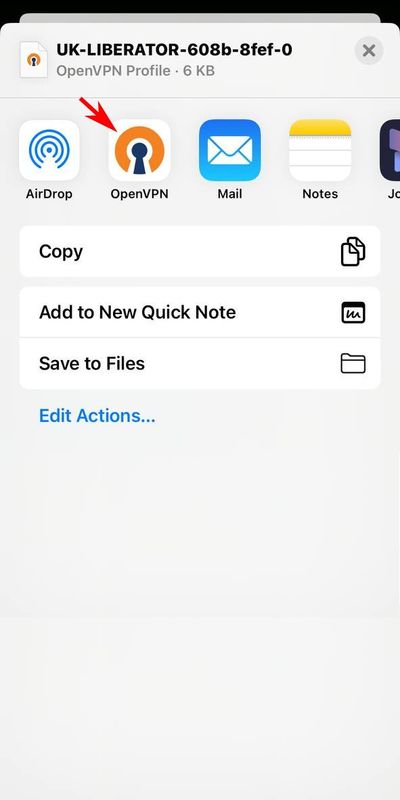
Add you VPN configuration file in your iOS device
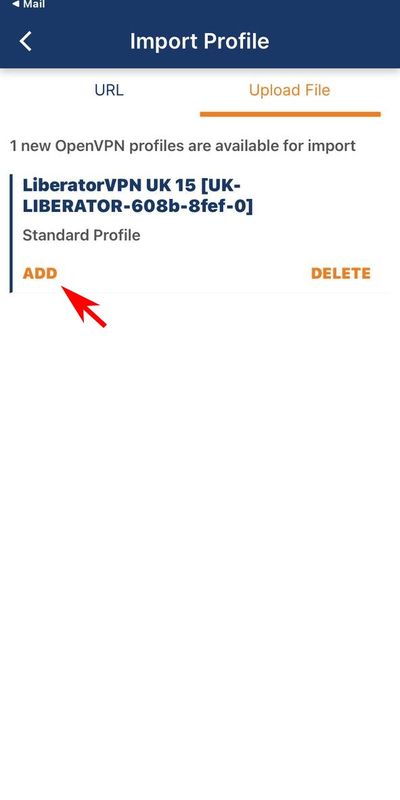
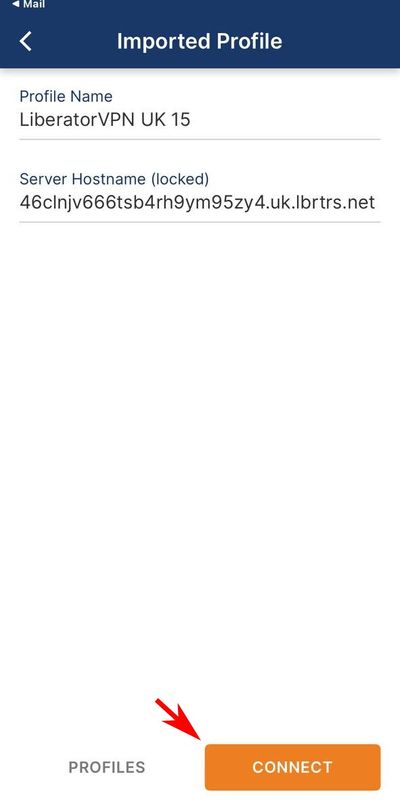
Final step, get connected.
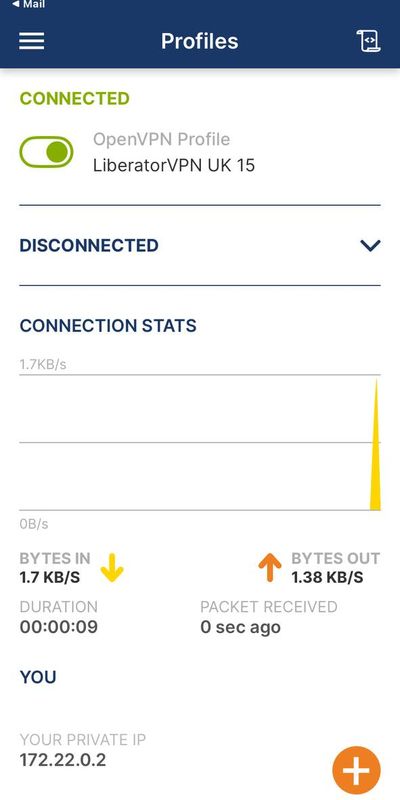
Congratulations! You ace connected. Active VPN connection should look something like this.
Feel free to contact our Support whether you still have questions left or difficulties getting connected. We will be happy to help resolving it.